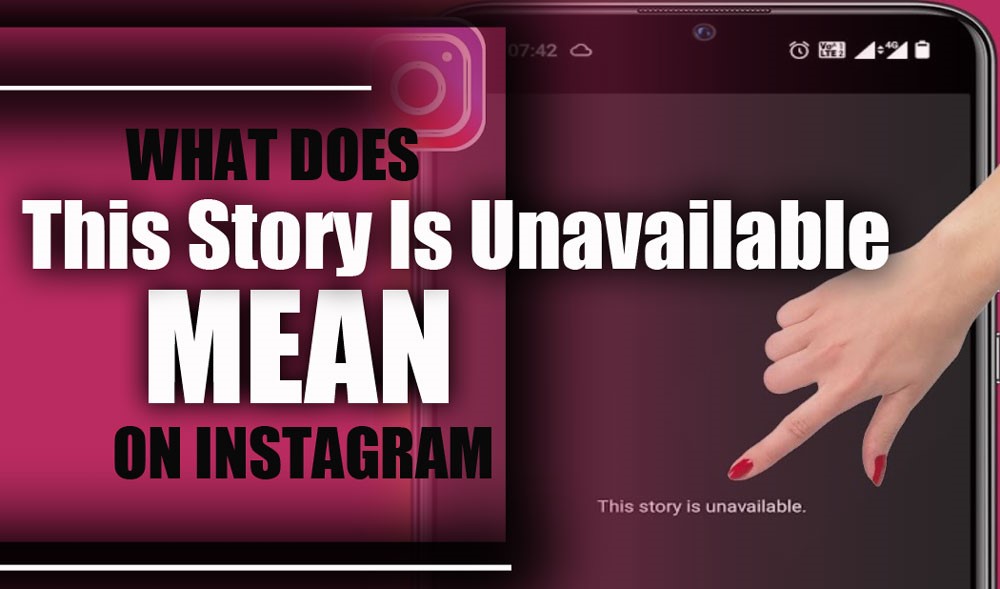
“What does ‘ This Story Is Unavailable mean on Instagram?” is a question many users struggle with when they try to view a Story but see this unexpected message instead.
It’s more than just a message; it’s a signal that something has changed behind the scenes, or like watching the final scene fade before you get to the good part. Let’s explore what happens when Stories vanish, how to avoid it, and discover the secrets behind “Instagram Story Not Loading”.
Why Does Instagram Say “This Story Is Unavailable”? (Reasons & Smart Tips to Solve)
Instagram rarely acts without a reason. Behind that cryptic Instagram story not available message lies a trail of digital breadcrumbs, from privacy settings and expired timers to silent blocks and buggy connections. Let’s decode what each clue signifies.
1. The User removed the Story.
Instagram Stories are fleeting by nature, but what’s less known is that the creator can delete them at any time, even before the 24-hour window is up.
Maybe they had second thoughts about what they shared, or they accidentally posted something and quickly took it down. If you try to watch a Story after it has been pulled, the app will display the dreaded “This Story Is Unavailable” message on Instagram.
Think of it like trying to peek at a friend’s diary entry that they just ripped out and threw away; it simply isn’t there anymore. This is a typical Instagram Stories error related to deleted content.
You can try these steps:
- Contact the Story creator politely to request the content.
- Check if the User has saved the Story in Instagram Story Highlights.
- Accept that deleted Stories cannot be recovered on Instagram.
2. The Story Has Expired
The second reason for “This Story Is Unavailable Instagram Meaning” on Instagram is that expired messages appear after 24 hours, a full day of visibility before they vanish into the ether. So, if you click a Story after this time frame, it’s no surprise that it’s no longer available.
Sometimes, the platform can be glitchy and may still display the Story ring around a profile picture even though the Story itself is no longer visible; however, tapping it will bring up the Instagram Story error message.
Check the User’s profile with these steps:
- Look for Story Highlights on the User’s profile.
- Ask the User if they saved the Story elsewhere.
- Set reminders to view Stories within 24 hours in the future.

3. You Don’t Have Permission to See the Story
Not all Stories are meant for everyone. Instagram allows users to control who can view their content by setting custom privacy restrictions.
If the Story’s creator has limited viewing to just their followers, a Close Friends list, or a select group of people, and you’re not on that list, you’ll be met with the unavailable message.
It’s Instagram’s way of saying, “Sorry, this is VIP-only access.” Even if you have a direct link to the Story, without proper permission, you won’t be able to view it.
- Send a follow-up request to the User.
- Politely ask to be added to their Close Friends list.
- Respect the User’s privacy choices if access is denied.
4. The Account Is Set to Private
Privacy settings are powerful. If the person whose Story you’re trying to watch has a private Instagram account and you’re not an approved follower, Instagram won’t show you their Stories.
This can be especially confusing if the account was previously public but has been recently switched to private; what you could see yesterday might suddenly be off-limits today.
It’s like being outside a private party and realizing you’re not on the guest list. No matter how much you want in, you can’t get past the door.
Here are some steps you can follow:
- Submit a follow-up request to the private account.
- Wait for approval before trying to view Stories.
- Do not attempt to bypass privacy settings using third-party apps.
5. The User has blocked you.
If you are curious about “This Story Is Unavailable Instagram Meaning” and suspect you’ve been banned, this is likely the culprit behind the “Instagram blocked story” and “Story Is Unavailable” messages.
When someone blocks you, it’s an all-access denial; their posts, Stories, and even their profile vanish from your view. Instagram keeps it discreet, but the unavailable message is a clear hint that you’re no longer welcome to peek inside their content world.
If blocked, there’s no way to view their Stories unless they unblock you.
- Confirm if you’ve been blocked by checking the profile.
- Please respect their decision and privacy.
- Avoid creating alternative accounts to bypass the block.
6. Instagram Removed the Story
Instagram is strict about community guidelines. Stories that include copyright violations, hate speech, nudity, or other inappropriate content can be removed by the platform itself.
In this case, even if the User didn’t delete the Story, Instagram might have taken it down. You may still see the Story bubble on their profile as a ghostly reminder, but when you try to view it, the app will notify you that it’s no longer available because it has been removed from the stage.
- Review Instagram’s community guidelines before posting.
- Avoid sharing content that violates rules.
- Understand that removed Stories cannot be restored.
7. Weak or Interrupted Internet Connection
Sometimes, the problem isn’t with the Story or the account; it’s your connection. A slow or unstable internet connection can stop Instagram from loading Stories properly.
Suppose your Wi-Fi keeps dropping or your mobile data is acting up. In that case, the app might fail to fetch the Story, resulting in the “Instagram internet connection issue” and “This Story Is Unavailable” error.
You might want to take these steps:
- Switch to a more reliable Wi-Fi network.
- Restart your device or router.
- Toggle airplane mode on and off to reset connectivity.
- Try using mobile data if Wi-Fi is unstable.
8. App Glitches or Bugs
No app is perfect, and Instagram is no exception. Occasionally, bugs or glitches in the app itself can cause Stories to malfunction.
Perhaps the cache became corrupted, or a recent update introduced some issues. In these cases, Stories might not load properly even if they’re perfectly fine on the server side.
These instructions might assist you:
- Force close and reopen the Instagram app.
- Clear the app cache via device settings.
- Android: Go to Settings > Apps > Instagram > Storage > Clear Cache.
- iOS: Offload the app via Settings > General > iPhone Storage > Instagram > Offload App, then reinstall it
- Uninstall and reinstall Instagram.
- Restart your device after reinstalling.
9. The Instagram App Needs Updating
Using an old version of Instagram is a fast track to encountering weird bugs and errors, including Stories not displaying correctly. Instagram frequently releases updates to fix bugs, enhance security, and introduce new features. Running a stale version of Express may cause you to miss out on these fixes, resulting in errors such as the Instagram story glitch and the unavailable Story message.
Time to give these tactics a whirl:
- Open your device’s app store.
- Search for Instagram and check for updates.
- Install any available updates.
- Restart Instagram after updating.
Wrap-Up
Instagram Stories disappearing doesn’t have to feel like magic tricks gone wrong. With the hidden details revealed, you’re ready to decode “What This Story Is Unavailable Means on Instagram?” with confidence. From privacy puzzles to app hiccups, you’ve got the tools to troubleshoot and keep your Instagram game strong.
Ever had that frustrating Story disappearing moment? Please share your experience and how you handled it! If you have tried any of these fixes, please let us know which one worked best for you or if you have your tricks.
Why is Instagram showing stories not available?
Sometimes, Stories vanish because they’ve slipped away behind privacy curtains, expired clocks, or a creator’s quick change of heart.
How do you see unavailable Stories on Instagram?
Peek politely behind the digital door, send a request, or check if the memory’s tucked safely in Highlights.
How to fix “This Story is Unavailable” on Instagram?
A little app refresh, a stronger signal, or a friendly nudge to the creator might just bring that Story back into view.
Does an unavailable Instagram story mean I’m blocked?
Not necessarily, but if the Story remains forever out of reach, it might mean the guest list no longer includes you.
Can I peek at a deleted Story?
Once a Story is deleted, it’s like a message in a bottle lost at sea; Instagram doesn’t keep a copy, so it’s gone for good.