Copy the Instagram profile link or username
Open Instagram, go to the public profile, then copy the profile link or note the @username.


Copy Instagram bio text from public profiles in seconds. Paste a username or profile URL below, preview the available bio, and copy the text with emojis, hashtags, symbols, and line breaks where supported.
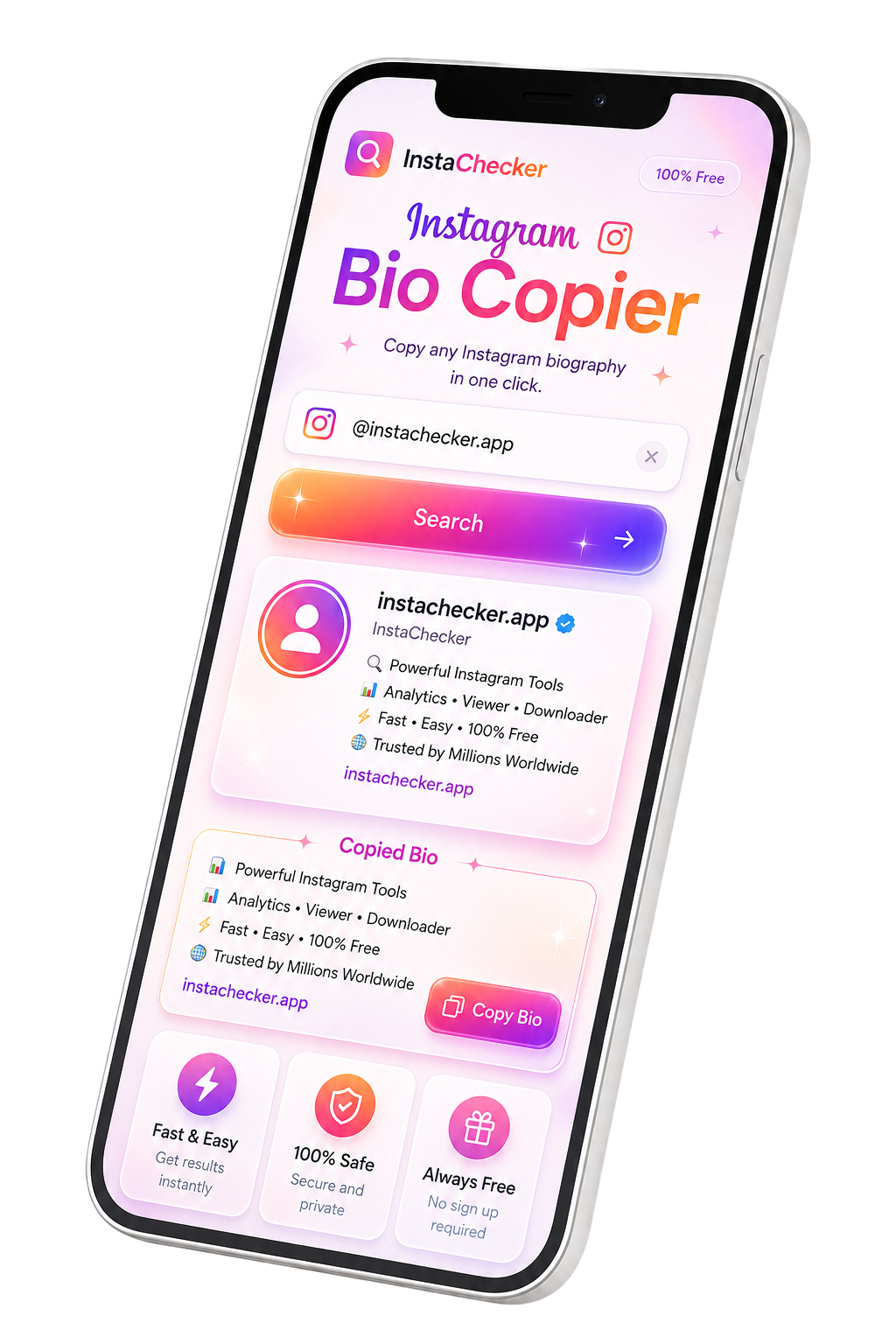
To copy an Instagram bio, paste a public Instagram profile URL or @username into Instachecker, click Copy Bio, then copy the extracted bio text. The tool works in your browser, requires no Instagram login, and keeps emojis, hashtags, symbols, and line breaks where supported.

Instagram bios often include short hooks, niche positioning, emojis, hashtags, calls to action, links, and brand messaging. When a profile changes, the older bio may disappear. Instachecker helps you save public bio text before that happens.
Paste a public profile URL or username and copy the available bio text directly from your browser. The process is useful for creators, marketers, agencies, social media managers, and anyone who studies profile copy.
Use copied bio text as inspiration, reference, or backup for your own profile. Always customize your final wording and avoid impersonating another creator, brand, or business.
Copy bio text from a public Instagram profile with either the profile URL or the @username.
Open Instagram, go to the public profile, then copy the profile link or note the @username.
Paste the complete public profile URL or username into the bio copier field on this page.
Press Copy Bio, wait for the available result, then copy the bio text for research, backup, notes, or templates.
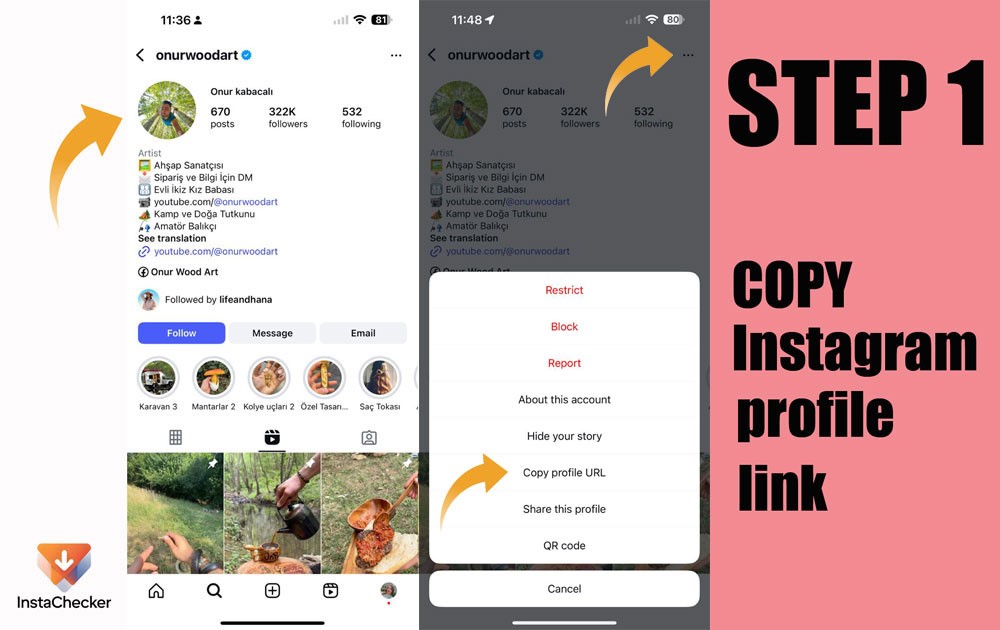
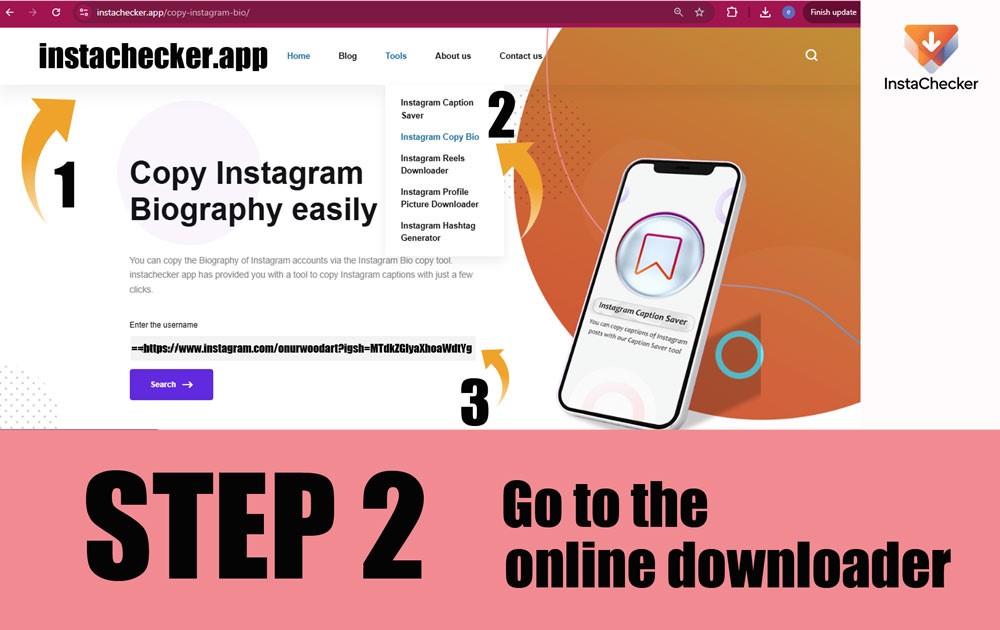
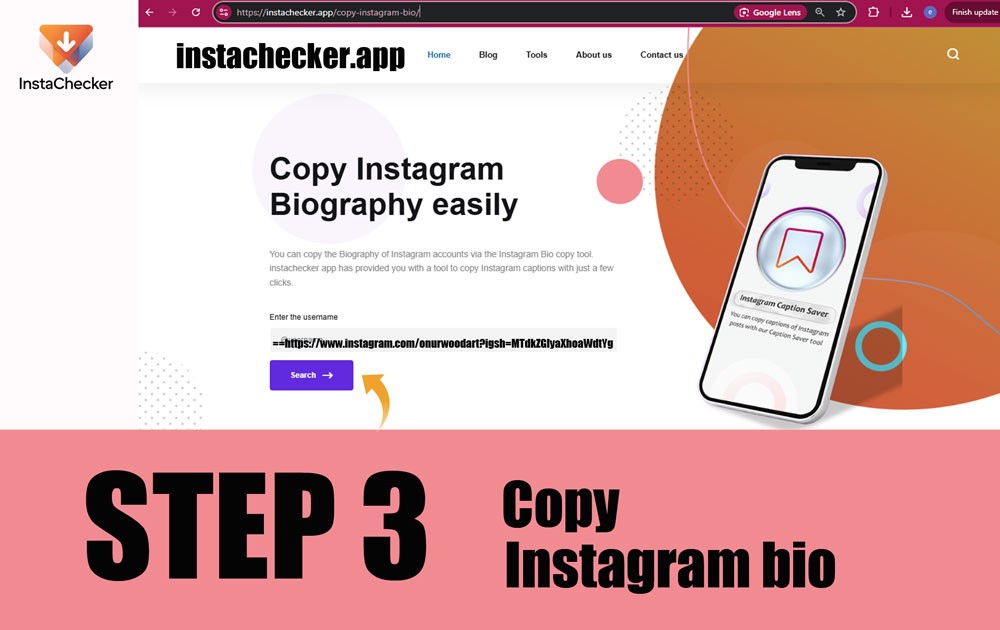
The same process works on iPhone, Android, and desktop browsers such as Chrome, Safari, Edge, and Firefox.
Instachecker helps users copy Instagram bio from public profiles online without login or app installation. You can paste a profile URL or username, copy Instagram bio text with emojis and line breaks where supported, save Instagram bio text for inspiration, and use the result for research, backup, or profile planning.
This page is written for users who need a fast, browser-based Instagram bio copier without confusing steps or hidden login requirements.
Use this tool when you need to copy bio text from a publicly accessible Instagram profile without manual selection.
The workflow does not require your Instagram username, password, account connection, or app installation.
Everything runs in the browser, so you can copy and save bio text on mobile or desktop.
The tool is designed to keep emojis, hashtags, line breaks, and symbols where the profile data supports them.
Save inspiration, profile examples, brand positioning, or your own previous bios for later use.
No separate mobile app or browser extension is needed to copy public Instagram bio text.
A fast, privacy-focused Instagram bio copier built to copy public profile bios without unnecessary steps.
Paste a public profile URL or username, process it in seconds, and copy the available bio text with a streamlined browser workflow.
Copy Instagram bio text with emojis, hashtags, symbols, and line breaks where the public profile data supports them.
Use the tool without creating an account, installing an app, or entering your Instagram username or password.
Use it on iPhone, Android, tablet, Mac, Windows, Chrome, Safari, Edge, or Firefox directly from your browser.
Save bio inspiration, study profile positioning, document public profile examples, or back up your own bio.
Instachecker is designed for publicly accessible Instagram profiles and does not bypass private accounts or restricted information.
Instachecker is a browser-based Instagram bio copier, so you can use it without installing an app or extension.
Copy the profile link from Instagram, open Safari or Chrome, paste it into Instachecker, and copy the available bio text to Notes, Files, or your content planner.
Open Instagram, copy the public profile URL or username, paste it here, then copy the returned bio text to your clipboard, notes app, or document.
Use Chrome, Edge, Firefox, or another modern browser. Paste the public profile link or username and copy the bio text directly to your computer.
On macOS, use Safari, Chrome, or Edge. The tool runs in the browser and does not require a separate bio copier app.
Saving a public bio for research, inspiration, or personal backup is a common workflow. Reusing another profile’s identity, brand positioning, or exact wording without permission can be misleading and may create copyright, impersonation, or platform-policy issues.
Use the copied text as a reference, then rewrite it in your own voice and keep your profile accurate, original, and transparent.
Manual text selection on Instagram can be slow on mobile. A dedicated bio copier makes the workflow cleaner and more consistent.
| Feature | Instachecker | Why it matters |
|---|---|---|
| No login | No Instagram username or password required | Reduces privacy risk and keeps the process simple. |
| Input method | Public profile URL or @username | Gives users flexibility when copying bio text from public profiles. |
| Formatting kept | Emojis, hashtags, symbols, and line breaks where supported | You can reuse bios without manually re-adding common bio elements. |
| Device support | iPhone, Android, PC, Mac, tablet | No separate bio copier app is needed. |
| Browser support | Chrome, Safari, Edge, Firefox | Works across common browsers and operating systems. |
| Use cases | Creators, marketers, agencies, and everyday users | Designed for people who work with Instagram profile text regularly. |
Most copy issues come from profile privacy, invalid usernames, incomplete URLs, empty bios, or temporary Instagram changes.
Instachecker only supports public Instagram profiles. Private or restricted profiles cannot be accessed by the tool.
Check the spelling of the handle and remove extra spaces, symbols, or copied text around the username.
Make sure the link points to an Instagram profile, not a post, Reel, Story, or unrelated page.
If the profile owner changed or removed the bio, the previous text may no longer be available.
Refresh the page, paste the username again, or try a private/incognito browser window.
Instagram may change how public profiles are served. If a valid profile fails, wait briefly and retry.
Instachecker is designed for public Instagram profiles that anyone can already view in a browser. Public bios can usually be processed because the text is publicly accessible.
Private profiles are different. Even if you follow the account, third-party tools should not bypass privacy restrictions. For private bios or sensitive information, ask the creator for permission instead of trying to extract restricted content.
To copy an Instagram bio, copy the public profile link from the Instagram app or website, paste it into the search box above, and select Copy Bio. Instachecker works in your browser and does not ask for your Instagram login.
Note: Instachecker is designed for public profiles only. Before reusing copied bio text, respect the creator’s identity, brand, privacy, and applicable platform rules.
This page explains what the tool does, what it does not do, and how users should handle public Instagram bio text responsibly.
The page clearly states that the tool is for publicly accessible Instagram profiles and does not bypass private accounts.
The tool asks for a public username or profile URL, not an Instagram password, which supports safer usage.
The page explains common failure cases, profile privacy limits, and responsible handling of public bio text.
The page includes a quick answer, step-by-step instructions, FAQs, related tools, and troubleshooting guidance.
Need more than an Instagram bio copier? Explore other Instachecker tools for Instagram content workflows.
Download public Instagram Reels online in the best available quality.
Open ToolYes. Instachecker is free to use with no hidden fees, no subscription, and no required account.


