

Free Instagram Caption Copier for Public Posts and Reels
Copy Instagram caption text from public posts and Reels online. Paste a public Instagram link below, search for the caption, and copy readable text without Instagram login, app installation, or manual rewriting.
- Public posts and Reels
- No Instagram password
- Emojis and hashtags when available
- Works on mobile and desktop
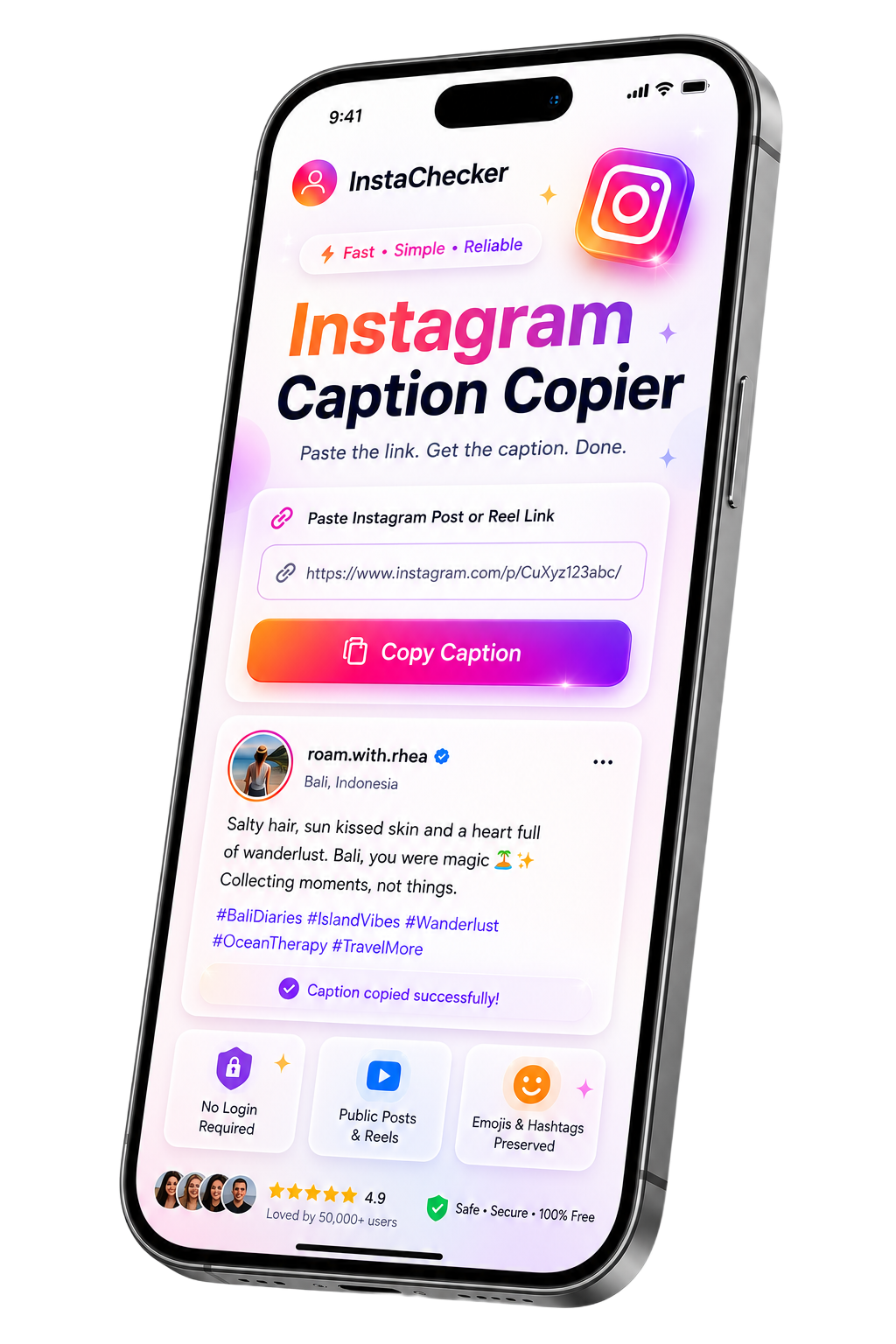
Quick Answer: How do you copy an Instagram caption?
Copy the public Instagram post or Reel URL, paste it into the Instachecker caption copier, press Copy Caption, then copy the available caption text. You do not need an Instagram login, mobile app, browser extension, or paid subscription.

Copy Instagram Captions Online Without Manual Rewriting
Manually selecting Instagram caption text can be slow, especially on mobile. Instachecker gives you a focused way to copy caption text from a public Instagram post or Reel using only the media link.
The tool helps keep captions readable, including emojis, hashtags, line breaks, symbols, and mentions when they are available. That makes it useful for creators, marketers, researchers, and social media managers who need clean caption text for planning or analysis.
Instachecker is intended for public content only. It does not bypass private accounts and should be used responsibly with respect for copyright, privacy, and the original creator.
- Copy Instagram captions from public posts and Reels
- Save Instagram caption text without installing an app
- Use a free Instagram caption copier without login
How to Copy Instagram Captions in 4 Steps
Use Instachecker to copy caption text from a public Instagram post or Reel with a simple URL-based process.
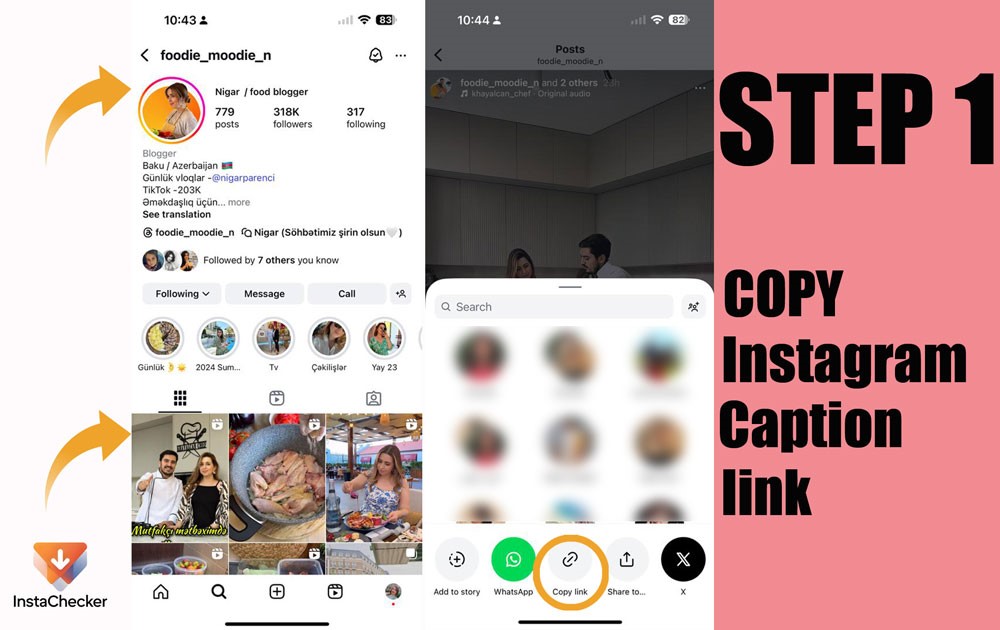
Copy the Instagram link
Open the public Instagram post or Reel, tap Share or the three-dot menu, and choose Copy Link.
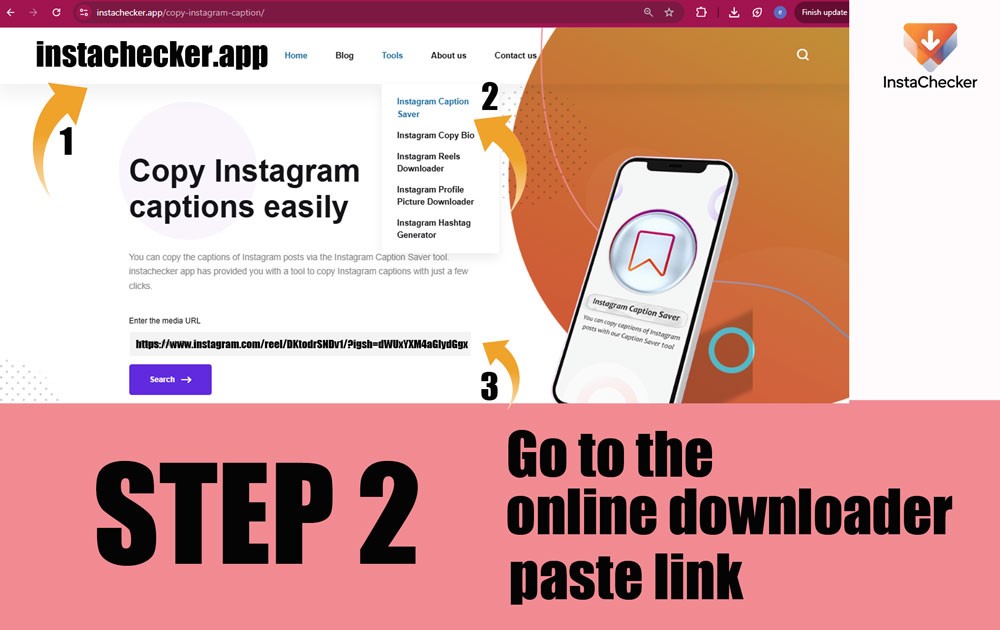
Paste the link into Instachecker
Paste the Instagram URL into the caption copier input field on this page.
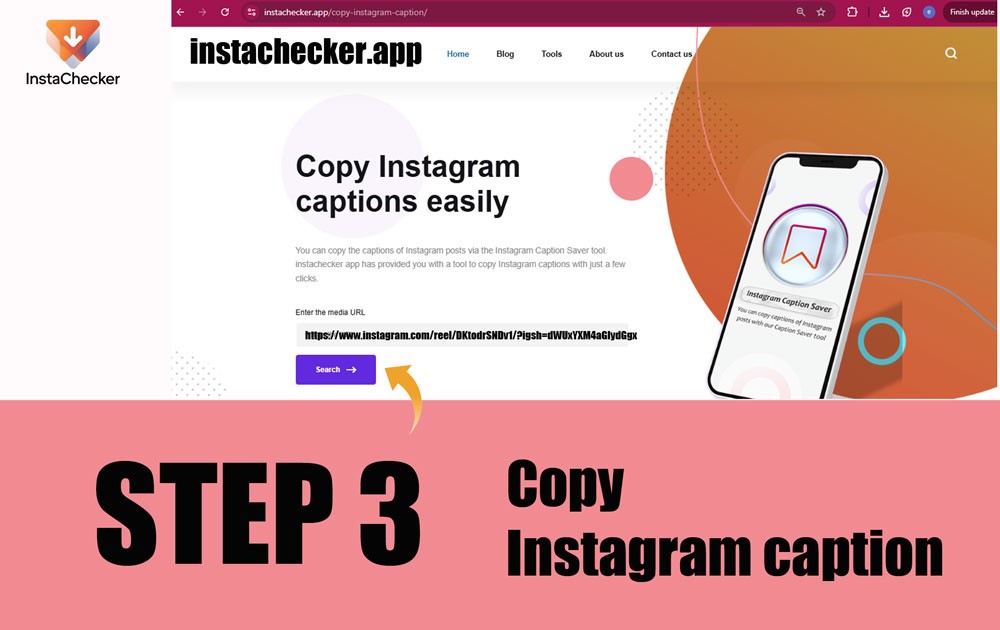
Search for the caption
Click the Copy Caption button and wait for the browser-based tool to find the caption text.
Copy and use the text responsibly
Copy the caption into notes, documents, planning tools, or your own workflow while respecting creator rights.
What This Instagram Caption Copier Helps You Do
Instachecker helps users copy Instagram captions online from public posts and Reels, save Instagram caption text for notes or research, copy caption text from an Instagram link, and use an Instagram caption copier without login or app installation. It is built for public content, quick copying, and responsible content workflows.
Why Use Instachecker Caption Copier?
A fast browser-based way to copy Instagram caption text from public posts and Reels without login or app installation.

Fast Caption Copying
Paste a public Instagram post or Reel link and copy the caption text in a simple browser workflow.

No App Needed
Use the Instagram caption downloader with no app installation on iPhone, Android, tablet, or desktop.

Free & No Login
Copy Instagram captions online without entering an Instagram username, password, or registration form.

Posts and Reels
Works with publicly accessible Instagram photo posts, video posts, and Reels when a caption is available.

Formatting Friendly
Keeps caption text readable, including emojis, hashtags, spacing, and line breaks where possible.

Public Content Only
Designed for public Instagram captions and responsible use, without bypassing private account restrictions.
Caption Searches This Page Covers
This page targets practical Instagram caption tasks naturally, without hidden text or keyword stuffing.
Copy Instagram caption from public post
Paste a public post link and copy the caption text without manual selection or rewriting.
Copy Instagram Reel caption
Use the tool for public Reels when you need to save the caption, hashtags, or description text.
Instagram caption copier without login
The core workflow does not require an Instagram password, registration, or app installation.
Save Instagram caption text online
Copy caption text into notes, documents, social media calendars, or research files from your browser.
Copy caption from Instagram link
The page is built around a simple URL-based process: paste the link, search, and copy the result.
Instagram caption downloader no app
Use the browser-based caption copier on mobile or desktop without downloading a separate application.
Best Uses for Saving Instagram Caption Text
A caption copier is most useful when you need clean text for research, planning, backup, or permitted reuse.
Content research
Save Instagram caption text from public posts to study hooks, tone of voice, hashtags, and campaign ideas.
Creator workflow
Copy your own captions before editing, reposting, translating, or organizing them in a content calendar.
Marketing analysis
Collect public caption examples from Reels and posts to compare messaging patterns and CTA styles.
AI writing preparation
Copy caption text cleanly so it can be summarized, rewritten, translated, or analyzed in writing tools.
Why Use Instachecker for Caption Copying?
Instachecker focuses on speed, privacy, public content, and readable caption formatting.
| Feature | Instachecker | Why it matters |
|---|---|---|
| No login | No Instagram username or password required | Reduces privacy risk and keeps the process simple. |
| No app | Browser-based Instagram caption downloader | Works on mobile and desktop without installing extra software. |
| Formatting | Emojis, hashtags, spacing, and line breaks are kept where possible | You can save caption text without manually fixing every line. |
| Content support | Public posts and public Reels | Matches the most common Instagram caption sources. |
| Responsible access | Public content only; private accounts are not bypassed | Helps keep the tool aligned with privacy and ethical use. |
| Workflow | Copy caption from Instagram link | A simple link-based process is faster than manual copying. |
Why Can't I Copy an Instagram Caption?
Most copy issues come from privacy settings, removed posts, restricted content, incomplete URLs, or temporary Instagram changes.
Private Account
Instachecker only supports public Instagram posts and Reels. If the account is private, the tool cannot access the caption.
Removed or Changed Caption
If the creator edited or removed the caption, the original text may no longer be available from the post.
Incorrect URL
Make sure the link is complete and points to the correct Instagram post or Reel. Broken links can cause errors.
Incomplete Share Link
If you copied only part of the URL or pasted extra text, the caption copier may not detect the media correctly.
Browser Cache
If the page gets stuck, refresh the browser, clear the field, paste the link again, or try a private window.
Temporary Instagram Change
Instagram sometimes changes how public posts are served. If a valid public post fails, wait a few minutes and retry.
Public vs Private Captions
Instachecker is designed for public Instagram posts and Reels that anyone can already view in a browser. Public captions can usually be processed because the text is publicly accessible.
Private posts are different. Even if you follow the account, third-party tools should not bypass privacy restrictions. For private captions or sensitive content, ask the creator directly and respect their permission.
Use Captions Responsibly
Copying text is useful for research and workflow speed, but copied captions may still belong to the original creator. Do not reuse someone else’s content in a misleading way.
- Use public captions for inspiration, research, backup, or permitted reuse.
- Respect copyright, privacy, platform terms, and creator permission.
- Do not use the tool to bypass private content or restricted posts.
Note: Instachecker is an independent website and is not affiliated with Instagram, Meta, or any Meta product.
Quick Guide to Copying Instagram Captions
To copy an Instagram caption, open the public post or Reel, copy its link, paste the link into the caption copier above, and select Copy Caption. Instachecker works in your browser and does not ask for your Instagram login.
Use copied caption text for notes, research, editing, translation, backup, or permitted reuse. Before publishing someone else’s wording, respect creator rights, platform rules, and applicable copyright requirements.
Related Instagram Tools
Need more than a caption copier? Explore other Instachecker tools for Instagram content workflows.
Instagram DP Downloader
View and download Instagram profile pictures in HD from public profiles.
Open toolInstagram Caption Copier FAQs
-
How do I copy an Instagram caption from a public post?
Copy the public Instagram post link, paste it into Instachecker, click the Copy Caption button, and copy the caption text when it appears.
-
Can I copy Instagram captions without login?
-
Can I copy captions from Instagram Reels?
-
Does the Instagram caption copier work for private accounts?
-
Is this Instagram caption copier free?
-
Do I need to install an app to save Instagram caption text?
-
Does Instachecker keep emojis, hashtags, and line breaks?
-
Why is my Instagram caption not loading?
-
Does Instachecker store copied captions?
-
Can I reuse captions I copy from Instagram?
-
Can I copy my own Instagram captions?
-
Which Instagram links are supported?
-
Can I copy hashtags from an Instagram caption?
-
What if the post has no caption?
-
Does the caption copier work on iPhone and Android?
-
Is Instachecker affiliated with Instagram or Meta?