Choose a clear topic or keyword
Start with the main subject of your post, Reel, product, niche, service, brand, or location.


Generate relevant Instagram hashtags from any topic, keyword, niche, product, or location. Use Instachecker to create a clean hashtag list for Reels, posts, campaigns, and content planning without installing an app or logging in.
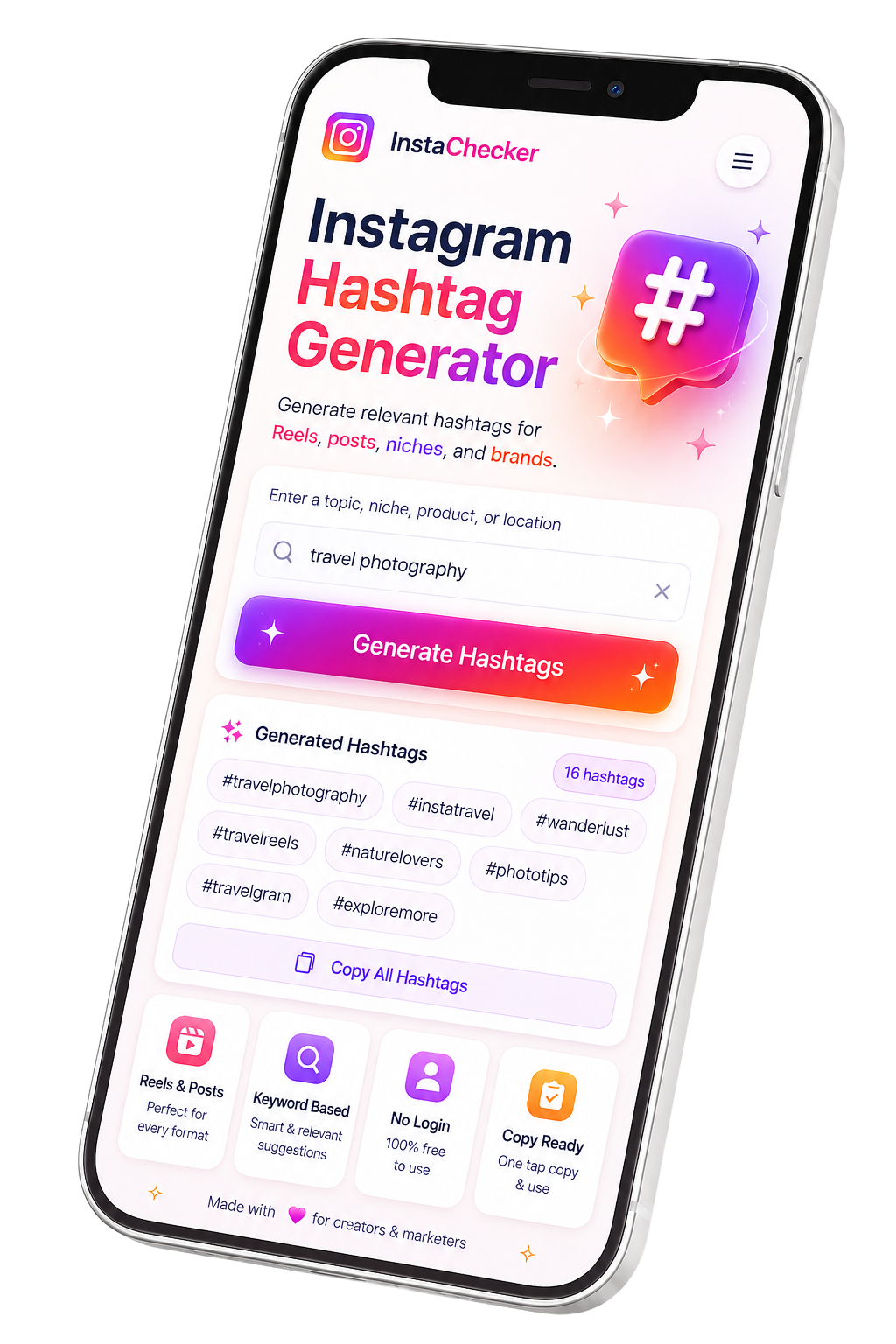
Enter a specific topic, keyword, product, niche, or location into the Instachecker hashtag generator, press Generate Hashtags, then review and copy the relevant tags for your Instagram Reel, post, caption, or campaign.

Hashtags help categorize Instagram content and can make Reels, posts, products, services, and campaigns easier to discover. The best hashtag set usually combines relevance, niche intent, audience language, and content context.
Instachecker simplifies that research process. Instead of manually brainstorming dozens of tags, you can enter one topic and get a ready-to-review list of hashtag ideas for your Instagram workflow.
Use the suggestions as a starting point, then remove tags that do not match your content. Relevant hashtags are stronger than random popular tags.
Create a practical hashtag list for Instagram content in less than a minute. No app, browser extension, or login is required.
Start with the main subject of your post, Reel, product, niche, service, brand, or location.
Type or paste the keyword into the hashtag generator input field and press Search.
Check the generated list, remove irrelevant tags, then copy the best hashtags for your Instagram content.


The same workflow works on iPhone, Android, desktop, and tablet browsers such as Chrome, Safari, Edge, and Firefox.
A fast, privacy-focused Instagram hashtag generator built to produce clean, relevant, ready-to-copy hashtag ideas without unnecessary steps.
Enter a topic, keyword, niche, product, or location and generate a useful hashtag list in seconds from your browser.
Use the generated hashtag ideas for Instagram Reels, feed posts, carousel posts, captions, campaigns, and creator workflows.
Generate Instagram hashtags without creating an account, installing an app, or entering your Instagram username or password.
Use Instachecker on iPhone, Android, tablet, Mac, Windows, Chrome, Safari, Edge, or Firefox with a modern browser.
Get formatted hashtag ideas that are easy to review, copy, edit, and paste into your Instagram publishing workflow.
The tool does not ask for Instagram credentials and is designed for simple hashtag planning without storing your content strategy.
A useful hashtag set should match your content, audience, niche, location, and campaign goal.
| Hashtag type | Example | Best use |
|---|---|---|
| Broad topic tags | #fitness, #travel, #fashion | Use a few broad tags when they accurately describe the post category. |
| Niche tags | #veganbakery, #homeworkoutcoach | Use niche tags to reach a smaller but more relevant audience. |
| Location tags | #parisfood, #londonphotographer | Useful for local services, events, restaurants, travel, and community content. |
| Content format tags | #reelsideas, #carouselpost | Helpful when the format itself is part of the discovery context. |
| Brand or campaign tags | #yourbrandname, #summerlaunch | Best for campaigns, communities, challenges, and recurring series. |
| Audience intent tags | #skincaretips, #smallbusinesshelp | Use when the audience is searching for a specific benefit, problem, or tutorial. |
Use these categories to choose a better input keyword and clean up the generated output.
Use keywords around your niche, content format, target audience, and recurring themes. Examples include travel creator, food reels, fitness tips, or daily outfit.
Combine your service, city, neighborhood, and audience intent. Examples include London bakery, Dubai salon, Toronto real estate, or Paris cafe.
Start with product type, style, buyer intent, season, and campaign angle. Examples include skincare routine, handmade jewelry, summer dress, or gift ideas.
Use the actual Reel theme instead of only using generic Reel tags. Tutorial, recipe, transformation, workout, travel guide, and behind the scenes are better inputs.
Generate topic-based hashtags first, then add your branded hashtag, campaign name, launch phrase, and community tag manually.
Use problem, lesson, industry, and audience keywords. Examples include marketing tips, beginner photography, language learning, or study routine.
Hashtag performance depends on relevance, content quality, audience fit, timing, and how competitive the tag set is.
Very broad tags can be crowded. Add niche and intent-based hashtags that match your audience more closely.
If the hashtags do not describe the post, they may attract the wrong viewers or reduce engagement quality.
Instead of entering a word like business, try a more specific phrase such as small business marketing or handmade candle shop.
Using the same hashtag set repeatedly may not match every post. Create a fresh list for each content theme.
Hashtags can help discovery, but they cannot replace strong visuals, clear captions, good hooks, and audience relevance.
Instagram discovery behavior can change. Review performance, test variations, and avoid relying on one fixed tag strategy.
Start with a specific keyword, generate hashtag ideas, then keep only the tags that truly describe your content. A strong set usually includes a mix of broad, niche, location, format, and audience-intent hashtags.
Use Instachecker as a research starting point. Before publishing, remove misleading tags, add your brand or campaign tag when relevant, and avoid using the same list for every post.
Need more than a hashtag generator? Explore other Instachecker tools for Instagram content workflows.
Copy captions from public Instagram posts and Reels quickly.
Copy Instagram bio text from public profiles quickly.
View and download Instagram profile pictures in high resolution.
Download public Instagram Reels in the best available quality.
An Instagram hashtag generator is a browser-based tool that creates relevant hashtag ideas from a topic, keyword, niche, product, or location so you can improve content discoverability.


