
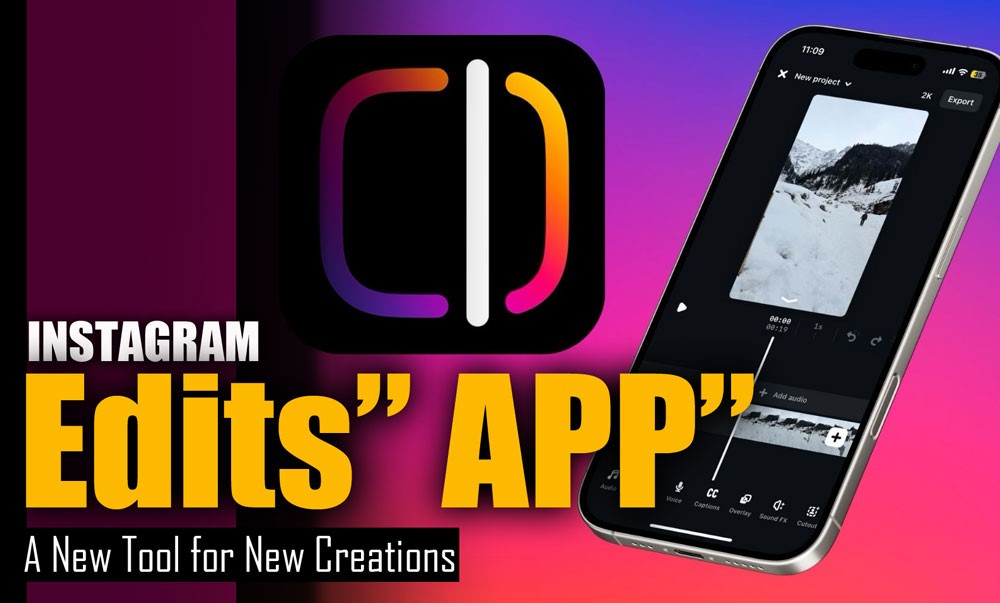
Ever found yourself struck by a brilliant content idea, only to be held back by clunky, time-consuming editing tools? Or could you create polished, professional videos right in the moment, without a desktop required or extra steps? Instagram Edits App is here, a powerful new standalone editor built to rethink how you create on the go, entirely.
Designed for creators, brands, and everyday storytellers, Edits puts intuitive, professional-grade tools right at your fingertips. No more jumping between apps or compromising on quality.
It’s fast. It’s seamless. It’s designed to keep up with your ideas, wherever and whenever they come. Curious how far your content can go? You’re about to find out.
What is the Instagram Edits App?
Instagram’s “Edits” App, officially launched by Meta in early 2026, marks a significant leap forward in mobile content production.
- Purpose & Availability: Specifically designed for the Instagram ecosystem, particularly for Reels, this free application is compatible with both iOS and Android devices.
- Vision: Instagram CEO Adam Mosseri introduced it to empower creators by providing a robust yet easy-to-use Instagram editing tool that enables users to turn raw concepts into polished videos directly on their phones.
- Functionality: Functioning as a direct competitor to popular mobile editors like CapCut, “Edits” isn’t just an editor; it’s a new Instagram creative app that lets users plan, shoot, edit, and manage video projects all in one centralized location.
- Goal: Meta aims to bring advanced functionalities often found in professional software to both casual and serious content creators, democratizing high-quality video production for everyone.
How to Use the Instagram Edits App?
Getting started with the Instagram “Edits” App is designed to be straightforward, making it accessible for creators of all skill levels.
- Download & Log In: Download the application from your device’s app store (App Store for iOS or Google Play Store for Android). Log in using your existing Instagram account to ensure a seamless connection.
- Create Your Project: Start editing Instagram content by uploading media or recording new clips directly within the app. The intuitive interface presents a user-friendly timeline where clips can be easily rearranged, trimmed with single-frame precision, and enhanced with transitions.
- Optimized for Reels: This streamlined workflow positions “Edits” as one of the best Instagram editing apps for short-form video, truly the quintessential Reels editing app.
- Export & Share: Once your masterpiece is complete, “Edits” allows for direct export and sharing to Instagram. You can also download a clean, watermark-free version for repurposing across other platforms.
5. Project Management: The project management feature, along with notes sections for ideas, further streamlines your creative process.
What Are the Latest Editing Features? (June 2026 Updates)
As of June 2026, the Instagram Edits App continues to evolve with a series of powerful updates designed to enhance Instagram content creation. These recent additions reinforce its position as a comprehensive visual editor for Instagram.
· Enhanced Editing Tools instagram
- Built-in teleprompter for seamless narration.
- Advanced overlay editing for greater control over visual layering.
- Voice enhancer for crystal-clear audio.
- Keyframes for precise control over animations and effects.
- Over 30 additional text effects to make your captions pop.
· Performance Insights instagram
This powerful mobile video editor offers more robust insights, providing real-time data on recent Reels performance to help creators understand audience engagement and factors influencing recommendations.
· Improved Ideas Tab
Now allows users to save audio directly and utilize sticky notes for brainstorming.
· AI-Powered Functionalities instagram
- Green screen effects.
- Animation for still images.
- Automatic caption generation with customization.
- Background removal.
- Smart cropping to keep subjects centered.
· Comprehensive Suite
These new Instagram features in 2026 make it a compelling addition to your creative tools for Instagram, functioning as versatile social media content tools.
Advantages of the Instagram Edits App
The Instagram “Edits” App offers a multitude of advantages that make it an indispensable tool for anyone involved in digital content creation.
- User-Friendly Professionalism: Its core strength lies in providing a truly user-friendly video editor that still empowers users to edit Reels like a pro and serves as an excellent Instagram Stories editor.
- High-Quality Output: Ability to record and edit high-quality clips up to 10 minutes long, even in 4K resolution (on supported devices), provides creators with unparalleled flexibility.
- Watermark-Free Export: A significant benefit is the option to export videos without watermarks, allowing for seamless cross-platform content repurposing without additional steps.
- Streamlined Workflow: This robust in-app content editing means creators no longer need to jump between multiple applications, saving valuable time and effort.
- Data-Driven Creation: For professional creators and brands, “Edits” offers enhanced insights tailored for Reels performance, providing valuable data on factors such as skip rate and audience engagement, making it a strong choice for influencer editing tools.
- Rich Creative Assets: With a rich library of Instagram filters and effects, and a comprehensive Instagram creative suite that includes advanced camera settings, sound effects, fonts, and stickers, creators have everything they need to produce engaging visuals directly within one application.
In the end
The Instagram “Edits” App represents a significant milestone in the evolution of mobile content creation. By combining powerful editing capabilities with a commitment to user-friendliness, it empowers creators to elevate their visual storytelling without requiring extensive technical expertise or expensive software.
“Edits” is poised to become the go-to app for anyone serious about crafting compelling videos for social media. It’s more than just an application; it’s an invitation to unleash your creativity and connect with your audience on a deeper, more visually engaging level.
What new feature of this app are you most excited to try out first? How will the Edits App change your current content creation workflow? And what other features would you like to see in future updates of the Instagram Edits App? Your feedback helps shape its future!
What is the Instagram Edits app?
Instagram Edits is a free video editing app by Meta, featuring advanced tools such as green screen effects, AI-generated effects, and no watermark.
What apps do Instagram influencers use to edit?
Most influencers use apps like CapCut, InShot, Adobe Rush, VN, and Splice for editing.
Are the Edits on the Instagram application good?
Yes, it’s a high-quality app with professional features, no watermark, and is excellent for creating Reels.
How to download Instagram Edits?
You can download it for free from the App Store or Google Play by searching “Edits by Instagram”.
Can you use Instagram Edits without an Instagram account?
No, you need to log in with your Instagram account to use the Edits app.

