Suddenly, not seeing someone on your Instagram feed, unable to access their profile, or sending messages can leave you in an unsettling silence, feeling anxious, excluded, and unsure of what’s happening.
Learning “How to know if someone blocked you on Instagram?” helps you get clear answers quickly, so you don’t waste energy on misunderstandings. If you want to stop guessing and get definitive answers, this guide is the must-read you’ve been searching for to see if someone blocked you on Instagram.
(5) Clear and Practical Guides to Know If You Are Blocked on Instagram
Instagram keeps blocking discreetly; you won’t receive any Instagram block notifications. That’s why you have to use these methods to confirm the case.
If you suspect a user has done it, the following steps walk you through simple checks that help you uncover the truth and Know If Someone Blocked You on Instagram.
1. Search for Their Instagram Profile
The quickest way to start your investigation is by searching for the person’s Instagram profile directly. This simple step can reveal a lot about whether you’re still connected or if they’ve blocked you.
| Search Result | Possible Meaning |
| Instagram profile not showing or account doesn’t appear at all (correct username) | Suspicious; possible block or deactivation |
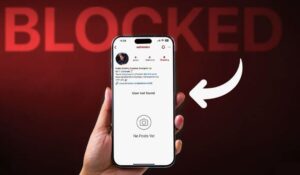
| The profile appears, but it lacks a profile picture, posts, or followers and instead shows “No Posts Yet.” | Likely blocked |
| The private account profile doesn’t show up at all | Blocking is very likely |
Remember, users sometimes deactivate or delete their accounts, which also makes their Instagram profile invisible to everyone, not just you.
2. Visit Their Profile Using a Web Browser
Sometimes, the Instagram app can be limited in what it displays. To get a clearer picture, try accessing their profile through a web browser. This approach can help you confirm if the profile is truly gone or just hidden from you.
| Action | Result | Meaning |
| Visit https://www.instagram.com/username (replace “username” with handle) | Instagram web profile unavailable
See “Sorry, this page isn’t available” error |
Account deleted, or you’ve been blocked |
| Log out or use incognito mode and visit the same URL | Profile loads normally | The account exists; you are likely blocked |
| I logged in and visited the same URL | Instagram Profile not visible | You are almost certainly blocked |
This method works on both desktop and mobile browsers.
3. Check Old Comments, Mentions, and Tags
Past interactions can offer valuable clues. By revisiting old comments, mentions, or tags involving the person, you might Know If Someone Blocked You on Instagram or if something else is going on.
| Action | What to Look For | Possible Meaning |
| Tap their username from old comments or likes | The profile shows no posts or profile picture | You might be blocked, or they changed the username |
| Same As Above | The ” Instagram User Not Found error appears | You might be blocked, or your username may be changed |
| Try tagging or mentioning them in a story or post | Their handle doesn’t appear in autocomplete | Possible blocking or username change |
4. Inspect Your Instagram Direct Messages (DMs)
Your direct message conversations often persist even after someone blocks you. Checking how these chats behave can provide strong evidence of a block, especially if messages stop going through or profiles disappear.
| Action | What to Look For | Possible Meaning |
| Open your conversation with the suspected user | Instagram user not found in DM “User Not Found” appears at the top of the chat. | Strong sign you’ve been blocked |
|
Same as above |
Unable to access their profile through the chat | Strong sign you’ve been blocked |
| Same as above | Messages you send remain undelivered. | Strong sign you’ve been blocked |
Sometimes glitches or deactivations cause temporary issues, but persistent problems usually mean a block.
5. Ask a Friend to Search for the Account
If you’re still unsure, enlisting a trusted friend to help can alter the outcome. Comparing what they see versus what you see can help you Know If Someone Blocked You on Instagram or if the issue is with your account or theirs.
| Scenario | What It Indicates |
| Profile visible to a friend but hidden or blank on your account | The user has blocked you |
| Profile not visible to anyone | User deleted or deactivated their account, or were suspended |
What Happens When Blocked on Instagram? (Summarized Table)
Understanding what changes after someone blocks you will help you interpret the signs more clearly. Here’s a breakdown of exactly what gets restricted when you’re blocked.
| Action | What Happens When You Are Blocked |
| Viewing posts, stories, reels, or profiles | You cannot view any of their content or profile |
| Likes, comments, and tags on their posts | Your interactions disappear from their view |
| Tagging or mentioning new posts/stories | You cannot tag or mention them |
| Sending direct messages (DMs) or joining live streams | You cannot send messages or join their live streams |
| Shared group chats | You can still see their messages, but they can leave the group |
Messages sent during the block won’t be delivered even if you get unblocked later. This applies across the Instagram app and web versions.
What Does Being Blocked Mean on Instagram?
Getting blocked can feel personal, but it’s often about boundaries and privacy. This section examines the concept of stopping in the context of online relationships.
- Maybe you posted something they didn’t like
- You might have overwhelmed them with messages or tags
- Or they want to limit their interactions for mental well-being or Instagram privacy boundaries
Use this as a reminder to respect digital boundaries and maintain healthy social media etiquette.
How to Use Instagram Privacy Controls as Alternatives to Blocking Someone on Instagram?
Blocking isn’t your only option. If you want to maintain some distance without severing connections, Instagram offers other tools to customize your experience.
- Use the Instagram mute feature to stop seeing updates of their posts or stories.
- Restrict their account to limit comments and messages without unfollowing
- Use Instagram Quiet Mode to focus on your experience without distractions
- Set your profile to private or hide your activity status
These tools help you manage your Instagram experience without the drama of blocking.
Takeaway
While it’s never a fun experience, learning how to Know If Someone Blocked You on Instagram and how to respond can help you navigate social media with confidence and respect for your own digital well-being. If you find out you’re blocked and can’t find your Instagram profile, don’t stress; use it as a chance to improve your online interactions or take a digital break.
Have you encountered these signs yourself? Which of these methods helped you confirm it? Did anything unexpected come up while you were checking? Please share your experience or ask your questions below; your perspective could help others better understand Instagram’s limits.
How Do You Know If Someone Blocked You on Instagram?
You can look for missing profiles, no posts or followers, undelivered messages, and inability to tag or mention the user.
Have they blocked me or deactivated my Instagram account?
Check if their profile is visible when logged out or via a friend’s account. If it is visible, you’re blocked; if not, they’re likely deactivated.
Can we see who has blocked me on Instagram?
Instagram does not notify you, so you need to use indirect methods to find out.
What happens when someone blocks you on Instagram?
You can’t see their content or interact with them through messages, tags, or comments.
Can blocking affect group chats on Instagram?
You’ll still see their messages in shared groups, but they can leave or restrict interactions there.